 Secure payment
Your payment information is processed securely. We support PayPal and major credit/debit cards.
 Free delivery
Free UK delivery on all orders. No hidden handling fees.
 30-day returns & 12-month warranty
Return eligible items within 30 days. All products include a 12-month warranty
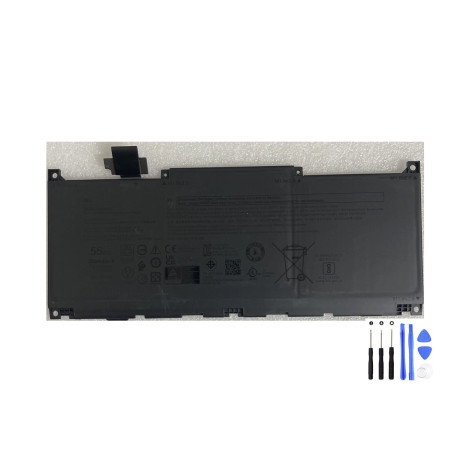
If your XPS 13 dies quickly, shuts down at 20–30%, or won’t hold a charge, this high-quality 55Wh Li-ion battery is designed to restore dependable unplugged time without changing how you use your laptop. It’s engineered to fit the XPS 13 chassis listed above, with the correct connector, footprint and mounting points.
Genuine-spec match: 11.55V, 55Wh 3-cell pack aligned to Dell’s power profile for XPS 13 systems.
Consistent runtime: Fresh capacity helps you work, browse and stream longer between charges (actual hours vary by workload and settings).
Smart charging support: Fully compatible with Dell’s charge management (BIOS/firmware and Dell Power Manager modes such as Standard/Adaptive/ExpressCharge).
Safety first: Integrated protection against over-charge, over-discharge and short-circuit.
Laptops
XPS 13 9350
XPS 13 9345
XPS 13 9340
XPS 13 9320
Battery identifiers (any of these on your old label indicates a match)
Type: MN79H, 0MN79H
DP/N: NXRKW; J7H5M
Tip: Open the base cover and read the sticker on the existing pack. Match type/DP/N, voltage (11.55V) and capacity class (~55Wh). Connector orientation and screw locations should also match.
Chemistry: Rechargeable Lithium-ion
Configuration: 3-cell internal pack
Rated voltage: 11.55V
Capacity: 55Wh
Form factor: Internal, slim polymer cells for XPS 13 chassis
Operating environment: Typical laptop ambient 0–35 °C; avoid heat build-up and direct sunlight
Jumps from ~30% to single digits or powers off suddenly
“Battery needs service” or “Low capacity” warnings in BIOS/Windows
Won’t charge beyond ~80% (after verifying no custom charge cap)
Noticeable swelling lifting the base cover or touchpad
Battery report shows Full Charge Capacity far below Design Capacity
Run powercfg /batteryreport on Windows and check the capacity numbers to confirm.
Shut down the laptop and unplug the AC adapter.
Remove the bottom cover (Torx/Phillips screws depending on model; use a plastic pry tool).
Disconnect the battery cable from the system board.
Remove the battery screws and lift out the old pack.
Place the new MN79H/0MN79H pack, align it, and secure the screws.
Reconnect the battery cable and reinstall the base cover.
Power on, check BIOS → Battery Health.
Calibrate once: charge to 100% → use down to ~10–15% → fully charge.
If you’re not comfortable opening your laptop, any competent repair centre can fit this in a short appointment.
Keep vents clear; heat is the main cause of capacity loss.
If you use AC most of the time, consider a charge cap (e.g., 80%) in Dell Power Manager.
Avoid frequent deep discharges to 0%.
For storage longer than a month, leave the battery around 40–60% in a cool, dry place.
1 × Dell-compatible 55Wh Battery (Type MN79H / 0MN79H, DP/N NXRKW; J7H5M)
Will this fix sudden shutdowns at 20–30%?
Usually yes—those drops are a classic sign of aged cells. A fresh, compatible pack resolves it in most cases.
Do I need a new charger?
No. Your existing Dell USB-C/AC adapter is fine if it meets the laptop’s wattage.
Does Windows need drivers?
No extra drivers required. Charging and reporting are managed by system firmware.
How long will it last on a charge?
Runtime depends on brightness, apps and workload. A healthy 55Wh pack restores expected unplugged time for the XPS 13 listed above.
Specific References