HP x360 Battery Replacement – Complete Guide for Pavilion, Envy & Spectre Models
If your HP x360 laptop isn’t holding a charge or shuts down unexpectedly, you’re not alone.
Over time, all laptop batteries degrade. The good news is that replacing an HP x360 battery is a straightforward and affordable way
to restore your laptop’s performance. This guide explains everything you need to know about HP x360 battery replacement,
from identifying your battery model to choosing the right replacement pack.
🔋 Why Replace Your HP x360 Battery?
- Battery drains unusually fast (less than 1–2 hours runtime)
- Laptop only works when plugged in
- Battery not charging or stuck at a certain percentage
- Swollen battery causing trackpad or keyboard issues
These are clear signs that your laptop needs a new battery. Luckily, HP Pavilion x360, Envy x360, and Spectre x360 batteries
are user-replaceable if you get the correct part.
🔎 How to Find Your HP x360 Battery Model Number
There are three reliable ways to check your exact battery model:
- Check the old battery: Open the back cover and read the label (look for codes like HT03XL, LK03XL, KC04XL, etc.).
- Use Windows: Run
powercfg /batteryreportin Command Prompt to see your battery details. - HP PartSurfer: Enter your laptop’s serial number at HP PartSurfer to confirm the compatible battery.
💰 HP x360 Battery Replacement Cost
The average cost for an HP x360 battery replacement ranges from £50–£120, depending on the model.
Doing it yourself with a genuine battery is far cheaper than paying HP service centers.
For most users, ordering an OEM HP battery online and replacing it at home is the best value option.
⚡ Recommended HP x360 Replacement Batteries
Below are some of the most popular replacement batteries for different HP x360 models.
Always check your laptop’s battery code before ordering.
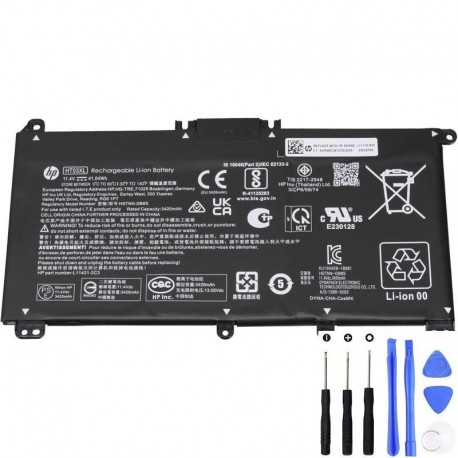
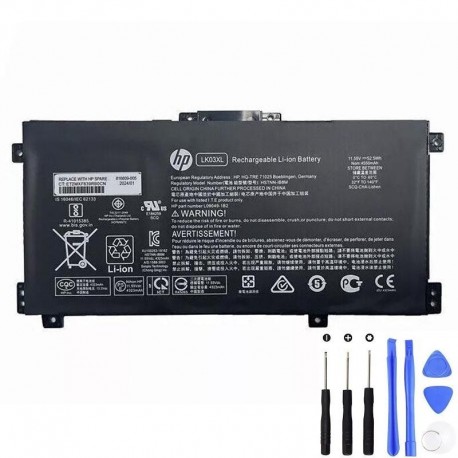
HP LK03XL – 52.5Wh
Higher-capacity option found in select Pavilion and Envy x360 laptops.
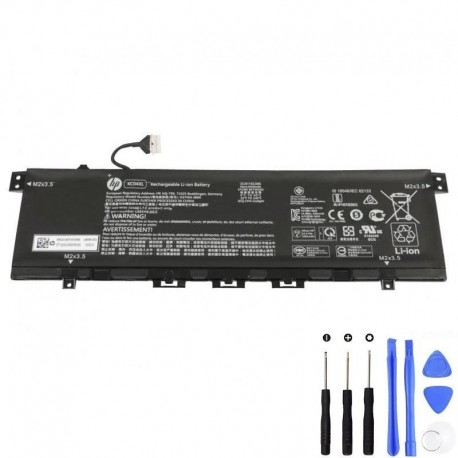

HP SA04XL – 55.67Wh
High-capacity replacement for Spectre x360 series laptops.

HP TF03XL – 41.9Wh
Used in Pavilion and Envy x360 models, dependable mid-range battery.
🛠 Step-by-Step: How to Replace Your HP x360 Battery
- Turn off your laptop and unplug the AC adapter.
- Remove the bottom screws with a precision screwdriver.
- Carefully lift off the back cover.
- Disconnect the old battery cable from the motherboard.
- Remove the old battery and place the new one in position.
- Reconnect the cable, secure the battery, and close the cover.
- Charge the new battery fully before first use.
❓ FAQ – HP x360 Battery Replacement
Q: Can I replace my HP x360 battery myself?
Yes. With a screwdriver and a compatible OEM battery, most users can replace it in under 20 minutes.
Q: How long does an HP x360 battery last?
Typically 2–4 years depending on usage and charging habits.
Q: Which battery works for my HP x360?
Check the part number printed on your old battery (e.g., HT03XL, LK03XL, KC04XL). Use that to order the correct replacement.
Q: How much does it cost to replace?
Between £50 and £120 for genuine OEM packs.
✅ Final Thoughts
Replacing the battery in your HP Pavilion, Envy, or Spectre x360 is one of the best ways to extend the life of your laptop.
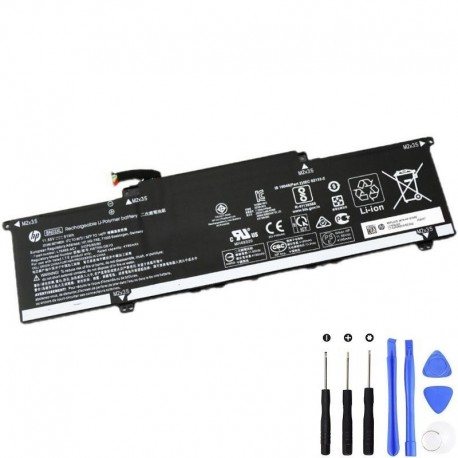
With genuine OEM parts such as the HT03XL, LK03XL, KC04XL, SA04XL, TF03XL, and BN03XL,
you’ll restore runtime, performance, and reliability.
Don’t wait until your laptop shuts down mid-project—choose the right battery today and enjoy your HP x360 like new.
HP x360 Battery Replacement by Series
Browse detailed battery replacement guides by HP x360 family. Replace the links with your published posts.
| HP x360 Model | Detailed Model | Description | Blog Link |
|---|---|---|---|
| HP Elite x360 | HP Elite x360 1040 14 inch G11 2-in-1 Notebook PC | Tools, compatible batteries, safety checklist, full teardown and battery installation walkthrough for sub models: 8Y1Q2AV 8Y1P7AV 8Y1P4AV and more | Read Guide |